
Blazing Fast
Find files in 0.01 seconds — as fast as hitting Enter.
Search Files
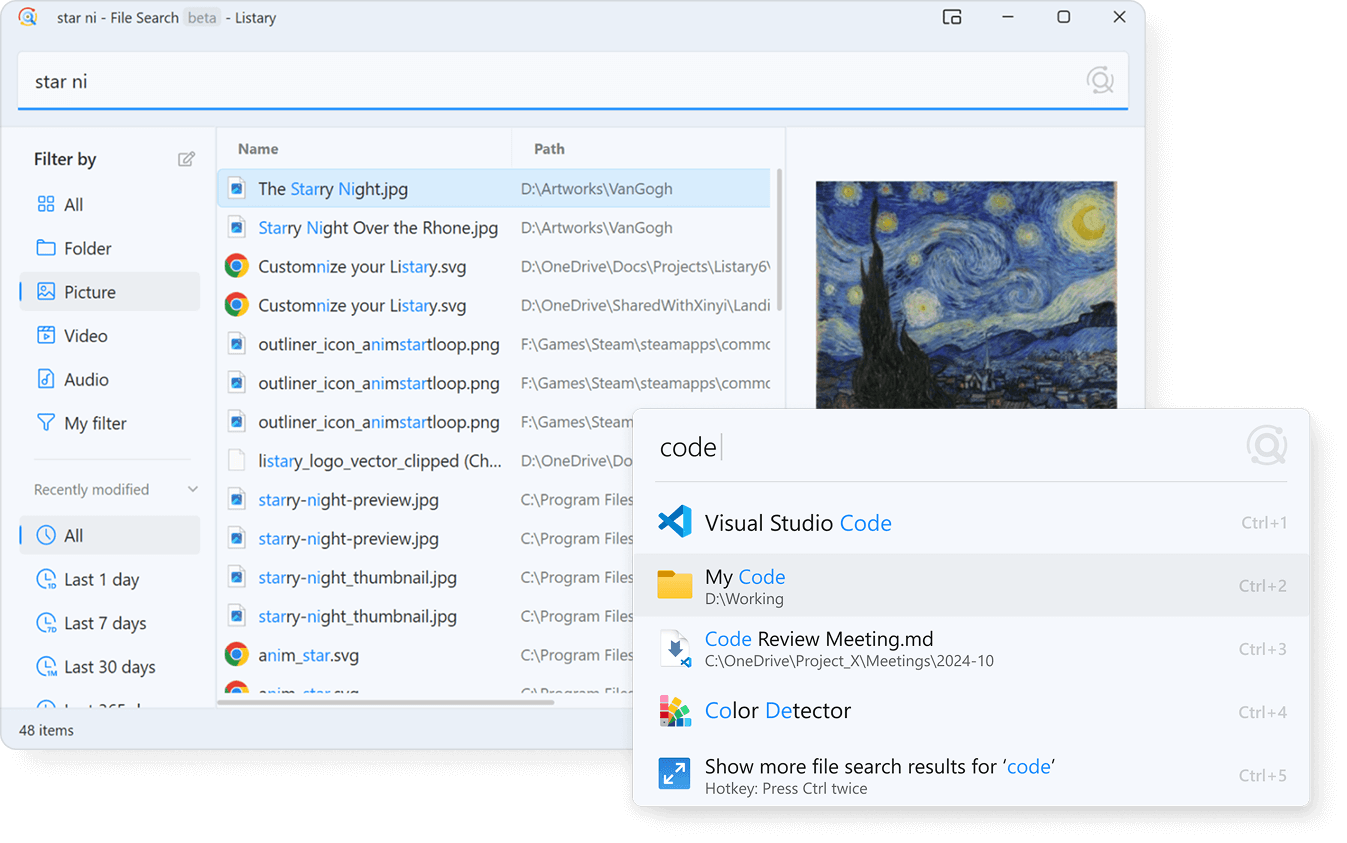
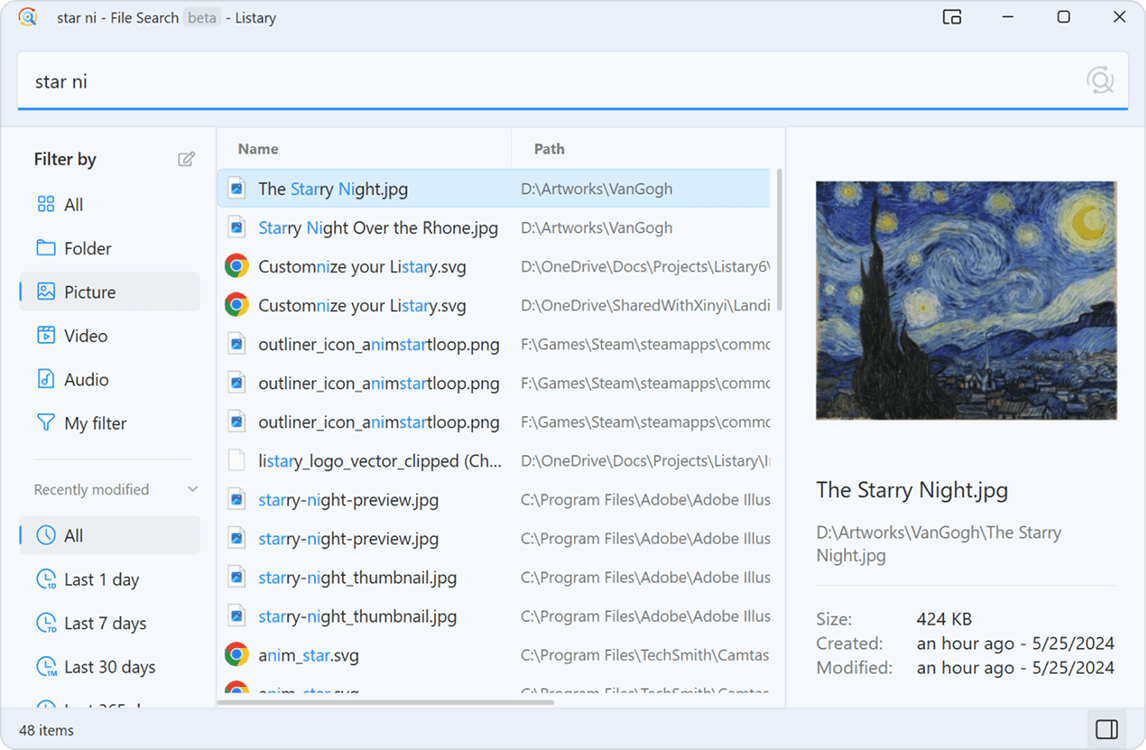
File Search Window
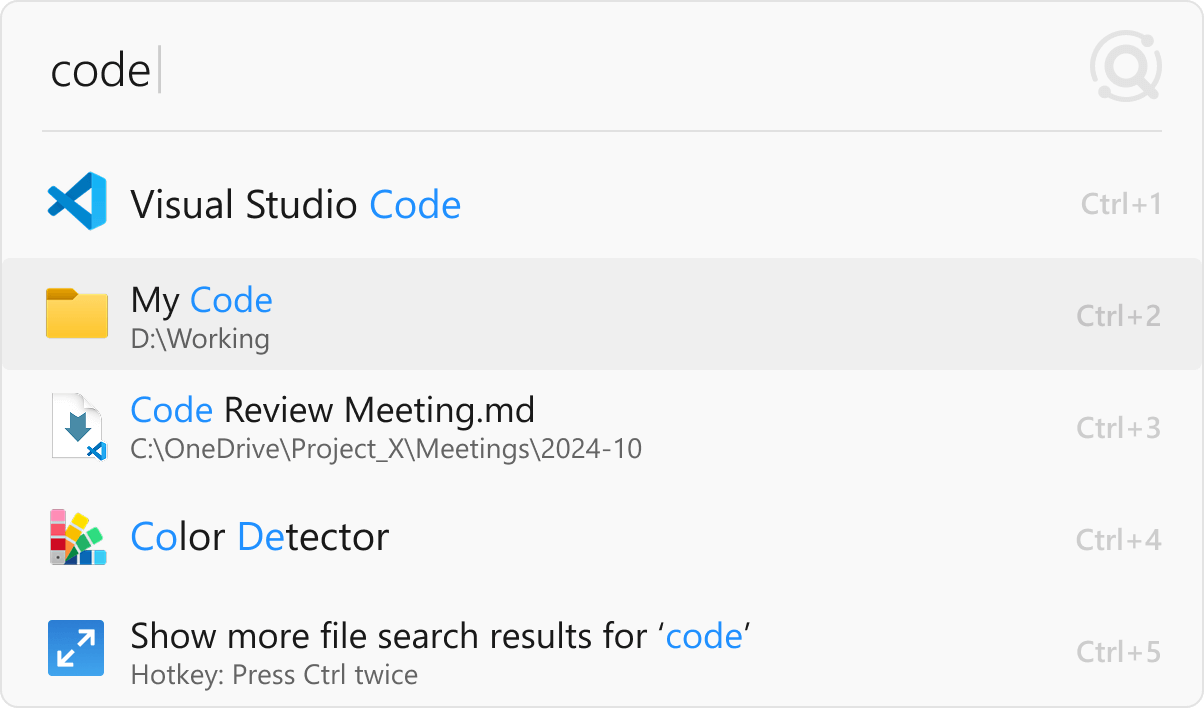
Launcher
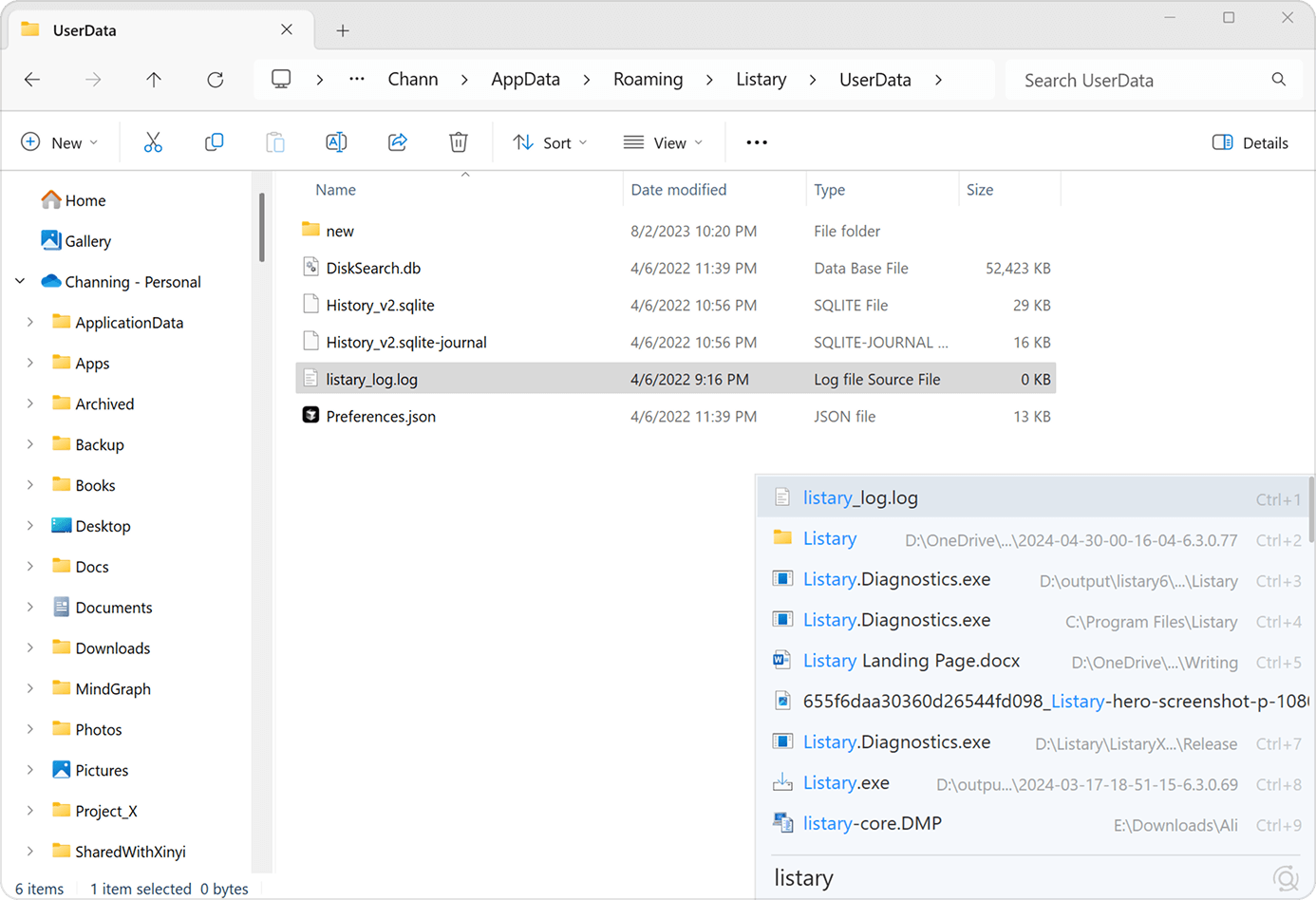
File Explorer Toolbar
Listary is primarily designed to quickly find and open files or apps by name, path, or format. To search within PDFs, Office documents, or scans, please use Gety, a companion app by the Listary team.
Meanwhile, if you are using Gety, Listary can automatically trigger it to display full-text search results* when no name matches are found, helping you locate the exact file or answer**.
* Only available in V7 beta and may be unstable.
** Only partial results are displayed. The complete full-text search requires using Gety.
The Launcher is designed for quickly opening apps and files. If you remember the approximate file name, using the Launcher is recommended. It also features smart ranking, making it easier to access frequently used files efficiently.
However, if you have multiple similar files and are unsure which one to open, or if you need to compare files, the File Search Window is more suitable. The Launcher closes automatically after selection, whereas the File Search Window remains open for better file exploration.
Best practice: Start with the Launcher. If you can't find the right file, double-tap Ctrl to switch to the File Search Window, where your query will be preserved.
Listary is significantly faster and more comprehensive than Windows Search. It's also deeply integrated into the system, making file searches effortless across File Explorer, Open/Save dialogs, and more. With superior speed and accuracy, it outperforms Windows Search in every way.
Plus, Listary has its own search index, so it doesn't rely on Windows indexing. That means you can turn off Windows indexing, which may help your system run faster.
Yes! Listary supports searching for files stored on cloud and network drives. Learn More →
Yes, Listary can be used completely offline and does not collect any data related to your files.
Listary only collects anonymous usage data, such as feature usage (count only, no details), to improve the software. If you prefer, you can disable data collection in the settings.
More questions? Visit our Help site →